
How to turn your 120 day evaluation copy in Windows 2000 full version. Page 2
7.
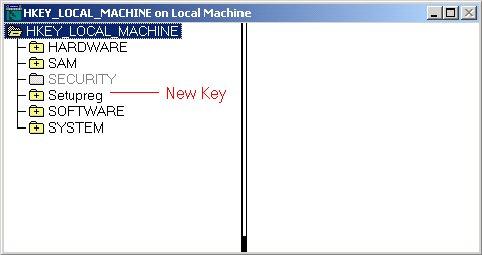
Click OK to load it into the registry. Your
registry editor should now look like this:
8.
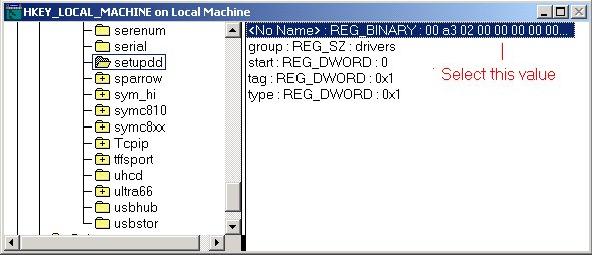
Now, navigate to the key
Setupreg\ControlSet001\Services\setupdd\ and select the value "No Name"
9.
Double click on this value to open it up for
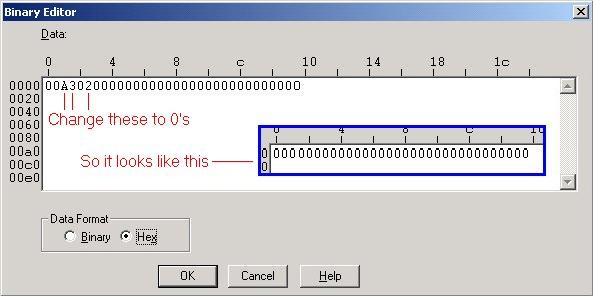
editing. This binary value corresponds to the 120 day time limit. To remove the
time limit, change the A, the 3, and the 2 to 0's. Click OK.
10.
Navigate back up the tree and select the
Setupreg key. Go to the Registry menu and click Unload Hive. Registry editor
will prompt you; click Yes to continue.