
How to turn your 120 day evaluation copy in Windows 2000 full version. Page 1
This tutorial assumes you have downloaded an evaluation version of Windows
2000 that will expire after a certain number of days.
If you would like to
change this to a time-unlimited version, follow the instructions below. In this
tutorial, keep in mind the following things:
The method described below only works in NT systems [ie you must be running
Windows NT4 or Windows 2000 already (evaluation copy included)]
you must
reinstall to change a time-limited version to a time-unlimited version
Now, without further ado:
1.
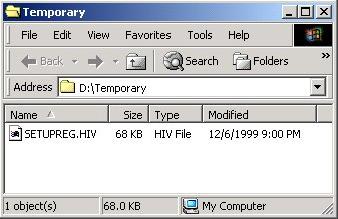
Find your setupreg.hiv file (it's in your
i386 directory) and put it somewhere not write-protected.
If you have already
burned your Windows 2000 CD, you must copy the setupreg.hiv file to the hard
drive.
2.
Click on Start, Run. Enter "regedt32"
(without the quotes) and click OK.
3.
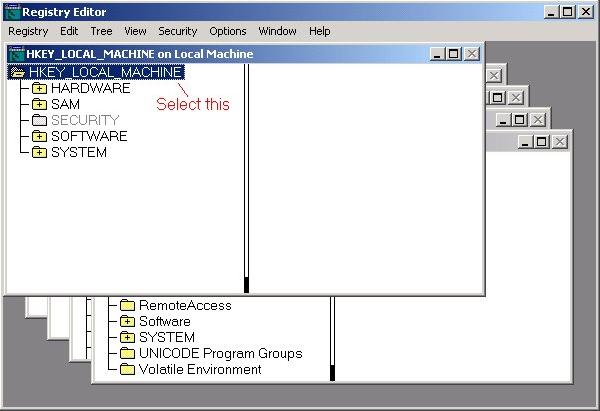
Once the registry editor is loaded, make
sure you have selected the
"HKEY_LOCAL_MACHINE" key in the
"HKEY_LOCAL_MACHINE on Local Machine" window.
4.
Under the Registry menu, choose Load Hive...
5.
Navigate to the location where your
setupreg.hiv file is at and select it. Choose Open.
6.
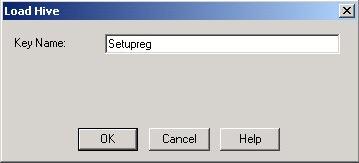
You will be presented with a Key Name box.
It doesn't matter what you put here, as long as you remember it. I recommend
something like Setupreg.